The Biggest Mistakes Beginners Make With AI Tools

The Biggest Mistakes Beginners Make With AI Tools (And How to Fix Them)

Disclosure: Some links in this article are affiliate links. If you purchase through them, we may earn a small commission at no extra cost to you.

When I first started using AI tools I was convinced they were broken. The outputs were generic. The answers were vague. Nothing I got back was actually useful for real work. I nearly gave up on the whole thing after two weeks.

The problem was not the tools. It was me. I was making every beginner mistake possible β€” and nobody had bothered to tell me what those mistakes were.

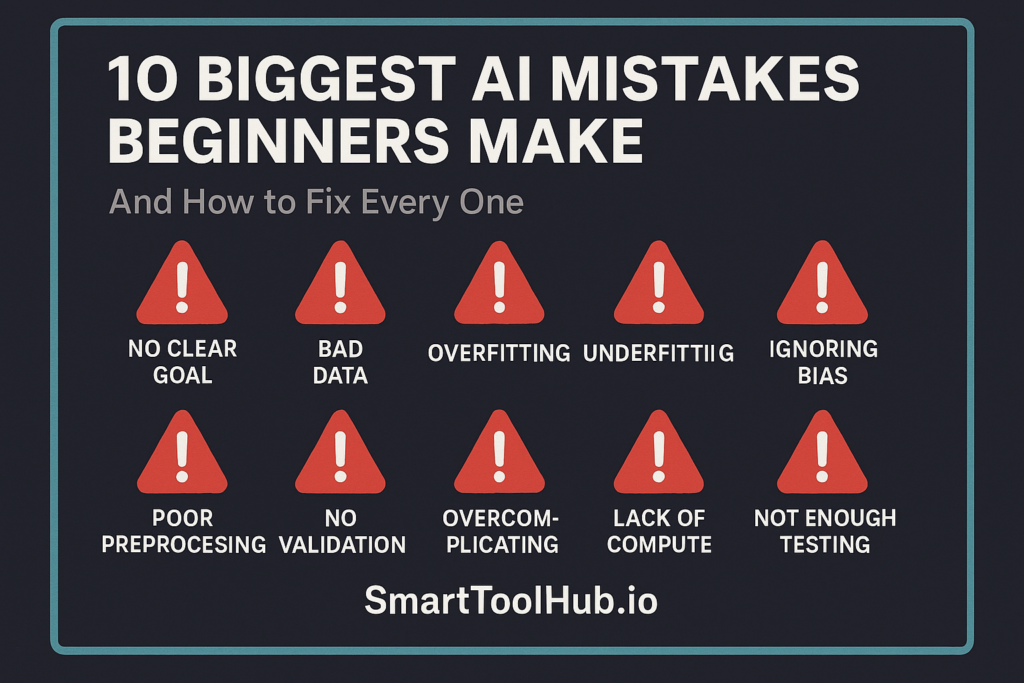
Two years later I use AI tools every single day and they have genuinely changed how much I can produce. The difference between then and now is not the tools themselves β€” most of them have not changed that dramatically. The difference is knowing how to use them properly. This guide covers the ten mistakes I see beginners make most often, and exactly how to fix each one. If you are still deciding which tools to start with, our guide to the best free AI tools in 2026 shows you everything worth trying at zero cost.

⭐ Best Starting Point for Beginners

Try Claude Free β€” Most Beginner Friendly AI in 2026

Natural, clear responses. No word limits on uploads. Handles long documents better than most tools. Perfect for beginners. No credit card needed.

πŸ‘‰ Try Claude Free Today

Affiliate link β€” we may earn a commission at no extra cost to you.

Table of Contents

Mistake 1: Writing Vague Prompts

This is the single most common mistake and the one that causes the most frustration for beginners. When you give AI a vague instruction, you get a vague answer. Every time. Without exception.

Most beginners type something like: “write me a blog post about AI tools”

The AI has no idea what length you want, who your audience is, what tone you are going for, what specific angle interests you, or what you already know about the topic. So it writes something that tries to be all things to all people β€” which means it is truly useful to nobody.

Here is the fix. Think of prompting like briefing a new assistant who is brilliant but knows nothing about you or your situation. Give them everything they need:

Vague prompt Specific prompt that actually works
“Write a blog post about AI tools” “Write a 1,200-word blog post for small business owners who have never used AI before. Friendly, plain English tone. Focus on three tools that save time on admin tasks. Include real examples.”
“Help me with my email” “Rewrite this client email to sound more professional but still warm. I need to decline a meeting request without damaging the relationship. Keep it under 100 words.”
“Summarise this document” “Summarise this document in five bullet points. Focus on the key decisions made and the action items assigned. Ignore the background sections.”
“Give me some ideas” “Give me 10 article ideas for a blog about AI tools targeting freelancers. Each idea should be a pain point they experience and how AI solves it.”

The more specific you are, the more useful the output. This single change β€” writing better prompts β€” will improve your results more than switching to a more expensive AI tool ever will.

Mistake 2: Accepting the First Response

The first response from an AI tool is a starting point. Almost never a finished product. Most beginners read the first response, decide it is not quite right, and give up on the tool. That is like a chef tasting a dish before it is finished and deciding it needs more salt β€” then throwing the whole thing away instead of adding salt.

AI tools are designed to be iterative. You push back. You ask for revisions. You give feedback. Here are phrases that work brilliantly for getting better outputs:

  • “That is good but make it more conversational and less formal”
  • “Shorter please β€” cut it by half and keep only the most important points”
  • “The third point is not relevant to my situation β€” replace it with something about X instead”
  • “Rewrite the opening β€” it sounds too generic. Start with something more surprising or specific”
  • “Try a completely different approach to this β€” what I have is not working”

Think of the first response as a rough draft that you and the AI refine together. The best outputs usually come after two or three rounds of back-and-forth. Beginners who treat it as a one-shot tool miss most of the value.

Mistake 3: Trusting Everything It Says

AI tools are confidently wrong sometimes. This is not a bug β€” it is a fundamental characteristic of how they work. They generate the most statistically likely response based on their training data. When the training data was incomplete or contradictory on a topic, the AI still generates a confident-sounding answer. It just might be wrong.

A Workday study found that 77% of frequent AI users double and triple check work produced by AI β€” more than they check work done by humans. These are people who use AI every day and know its limitations.

The types of things AI gets wrong most often:

  • Specific statistics and numbers β€” always verify these against original sources
  • Recent events β€” AI training data has a cutoff date and the tool may not know about things that happened recently
  • Niche technical details β€” AI is broad rather than deep in specialised areas
  • Quotes attributed to specific people β€” AI sometimes invents these entirely
  • URLs and references β€” AI frequently generates links that do not exist

The rule is simple: use AI to draft and structure, use humans to verify. For anything factual that matters β€” a client proposal, a published article, medical or legal information β€” always check the important claims against real sources before acting on them or publishing them.

Mistake 4: Using One Tool for Everything

Different AI tools are genuinely better at different things. Using only one tool for everything is like using a hammer for every job in your house because it is the only tool you own. It works for some things and produces terrible results for others.

Here is a practical guide to which tool actually works best for which task:

Task Best Tool Why
Long document analysis Claude Handles large documents without losing context
Image generation Midjourney or DALL-E ChatGPT has DALL-E built in, Midjourney for higher quality
Research with sources Perplexity Cites sources you can actually verify
Grammar and tone checking Grammarly Works everywhere you type automatically
Paraphrasing existing text QuillBot Seven modes, synonym slider, built for rewriting
General writing and tasks ChatGPT Plus Most versatile all-rounder
Meeting transcription Otter.ai Records, transcribes, summarises automatically

The right approach is to have two or three tools you know well and use regularly for different purposes β€” not one tool you force into every situation. For a full breakdown of which tools are best for writing specifically, read our honest Grammarly vs QuillBot comparison.

Mistake 5: Trying Too Many Tools at Once

This is the opposite mistake from number four β€” and beginners tend to swing between these two extremes. They either use one tool for everything or they sign up for ten tools in a week and end up using none of them properly.

The research is clear on this: the biggest mistake beginners make is trying to learn everything at once. You end up spreading your attention so thin that you never build real proficiency with any single tool.

Here is the approach that actually works:

  • Week 1 to 2: Pick one tool β€” ChatGPT free is the best starting point for most people. Use it for something real every single day. Drafting emails, brainstorming, summarising articles. Build the habit.
  • Week 3 to 4: Once you are comfortable with one tool, learn better prompting. The quality of what you get from AI depends almost entirely on the quality of what you put in.
  • Month 2: Add one more tool that specifically fills a gap the first one cannot. Not because it looks interesting β€” because you have a real problem it solves.

Mastering one tool properly is worth ten times more than dabbling with ten tools inadequately. The compounding effect of deeply understanding how one tool works builds faster than constant tool-hopping.

⭐ Nova Quinn Recommends

Start With Grammarly Free β€” Instant Writing Improvement

The easiest AI tool to add to your workflow. Works everywhere you type. No setup, no learning curve. Just better writing from day one. Free forever.

πŸ‘‰ Start Grammarly Free Today

Affiliate link β€” we may earn a commission at no extra cost to you.

Mistake 6: Publishing AI Content Without Editing

Raw AI output published directly to a website is one of the most damaging things you can do to your site’s reputation and rankings in 2026. Not because AI content is inherently bad β€” it is not. But because unedited AI content is detectably generic, often factually imprecise, and lacks the personal experience and specific detail that makes content worth reading and worth ranking.

Google’s Helpful Content system is specifically designed to identify and deprioritise content that provides no real value beyond what you could find anywhere else. Unedited AI content almost always fails this test.

The editing process does not have to be long. Here is the minimum viable edit for any AI draft before publishing:

  • Kill all buzzwords β€” leverage, seamless, revolutionary, game-changer β€” replace with specific plain language
  • Add one specific detail or personal example that only you would know
  • Add one genuine opinion that takes a clear position on something
  • Vary the sentence rhythm β€” break up any runs of same-length sentences
  • Read it out loud β€” fix anything you stumble over

For the full workflow on making AI content sound genuinely human, read our detailed guide on how to stop AI writing sounding robotic. It covers exactly what to edit and in what order.

Mistake 7: Giving AI Sensitive Information

This one has real consequences that go beyond getting bad outputs. Most free AI tools use your conversations to train their models by default. That means anything you paste into a free AI chat interface could potentially be seen by the company and used to improve future versions of the model.

What you should never paste into a free AI tool:

  • Client names, contact details, or confidential project information
  • Financial data β€” revenue figures, salary information, banking details
  • Medical or legal information about real people
  • Passwords, API keys, or login credentials of any kind
  • Anything your employer has told you is confidential

If you need to use AI with sensitive information for work, look at paid enterprise plans which include proper data privacy guarantees β€” ChatGPT Team, Claude Pro, or Google Workspace’s enterprise AI tier. These plans contractually guarantee that your data is not used for training. The free and basic paid tiers do not offer this guarantee.

Mistake 8: Expecting Instant Results

People try an AI tool for three days, do not get the dramatic results they saw in a YouTube video, and conclude the tool does not work. This is one of the most frustrating patterns I see β€” and it is almost entirely driven by unrealistic expectations set by people selling AI courses and tools online.

The reality is more gradual and more genuinely valuable than the hype suggests. AI tools compound over time. The person who uses ChatGPT consistently for three months and gradually learns what works in their specific workflow will save far more time per week by month three than they did in week one.

Here is a realistic timeline for what to expect:

Timeframe Realistic Expectation
Week 1 Getting familiar. Some useful outputs, some frustrating ones. Normal.
Week 2 to 3 Prompts getting better. Outputs noticeably more useful. Starting to see real time savings on specific tasks.
Month 2 Regular time savings on daily tasks. Clear sense of which tasks AI helps most with in your specific workflow.
Month 3+ AI is a natural part of your work. Saving 5 to 15 hours per week depending on what you do. Hard to imagine working without it.

Give yourself a realistic runway. If you are not getting value from AI tools after six weeks of genuine daily use, then you are either using the wrong tools for your specific needs or still making some of the mistakes in this guide.

Mistake 9: Not Giving Context

This is closely related to Mistake 1 but deserves its own section because it is a different problem. Vague prompts give the AI too little to work with. Missing context gives the AI the wrong frame entirely.

AI tools do not know who you are, what you do, who your audience is, what your brand voice sounds like, or what has already been tried and failed. Every time you start a new conversation with an AI tool, it starts from zero. Without context, it makes assumptions β€” and those assumptions are usually wrong for your specific situation.

The fix is to front-load every important conversation with relevant context:

  • “I run a small e-commerce business selling handmade jewellery. My customers are mostly women aged 30 to 55 who value craftsmanship. Now help me with…”
  • “I am writing for a technical audience of software developers. They are familiar with API concepts but not with this specific library. Write at an intermediate level.”
  • “My previous attempts at this produced outputs that were too formal and too long. I need something shorter and more casual this time.”

If you find yourself giving the same context repeatedly across conversations, use ChatGPT’s Memory feature or Claude’s system prompt capability to save it once and have it applied automatically.

Mistake 10: Paying for Things You Do Not Need Yet

The AI tool marketing machine is very good at making you feel like you need the paid version of everything before you have even figured out if you need the free version. I see beginners spending $100 or more per month on AI subscriptions within their first week β€” before they have developed the skills to get value from any of them.

Here is the honest sequence that actually makes sense:

  • Start completely free: ChatGPT free, Claude free, and Grammarly free cover 90% of what beginners actually need. Use these for at least a month before spending anything.
  • Upgrade only when free limits genuinely frustrate you: The right time to pay for ChatGPT Plus is when you regularly hit the message limit and feel the frustration of being dropped to the lighter model.
  • Add specialist tools only when you have a specific use case they solve: Surfer SEO at $99/month only makes sense when you are publishing SEO content consistently and have a clear monetisation model. Before that point, it is just an expensive subscription you will underuse.

The free tiers of the best AI tools are genuinely good in 2026 β€” not stripped-down trials but real tools that provide real value. Use them fully before paying for anything. For a full list of what you can get for free, see our guide to the best genuinely free AI tools in 2026.

Final Thoughts

Most people who give up on AI tools are not giving up because the tools are bad. They are giving up because they were making mistakes that nobody told them about β€” writing vague prompts, accepting poor first responses, using the wrong tool for the job, or expecting dramatic results in the first week.

The good news is that every mistake on this list is fixable in minutes once you know what it is. Better prompts. Iterative conversations. The right tool for each task. Realistic expectations. These are learnable skills β€” not innate talent.

The people getting the most value from AI tools in 2026 are not necessarily the most technical. They are the ones who treated learning AI tools like learning any other useful skill β€” consistently, patiently, and with a willingness to improve based on what the results tell them.

⭐ Start Right β€” No Mistakes

Try Claude Free β€” The Most Beginner Friendly AI Tool

Natural responses. No word limits on uploads. Great for documents, writing, and research. The perfect first AI tool for anyone just getting started. Free forever.

πŸ‘‰ Try Claude Free Today

Affiliate link β€” we may earn a commission at no extra cost to you.

FAQ

Why does AI give such generic answers sometimes?

Almost always because the prompt was too vague. Generic prompts produce generic answers β€” every time. The fix is to be more specific about what you need, who it is for, what tone you want, and what format works best. Specific prompts produce specific, useful results.

How long does it take to get good at using AI tools?

Most people start seeing genuinely useful results within two to three weeks of daily use. By month two or three, AI tools become a natural part of a productive workflow. The learning curve is real but short β€” and the payoff compounds over time.

Is it safe to use AI tools for work?

For general tasks β€” writing, research, brainstorming, drafting β€” yes, with common sense. Never paste confidential client information, financial data, or sensitive business details into free AI tools. If data privacy is a genuine concern for your work, look at paid enterprise plans that include contractual data protection guarantees.

What is the best first AI tool for a complete beginner?

ChatGPT free for most people β€” it is the most versatile and widely supported. Claude free is a close second and tends to produce more natural writing. Start with one of these, use it for real tasks every day for two weeks, and only add more tools once you have built a real habit with the first one.

Do I need to pay for AI tools to get good results?

No β€” not at the beginner stage. The free versions of ChatGPT, Claude, and Grammarly are enough to develop real AI skills and get genuine value from the tools. Pay only when the free limits are genuinely frustrating your work β€” not before.

Leave a Comment

Your email address will not be published. Required fields are marked *