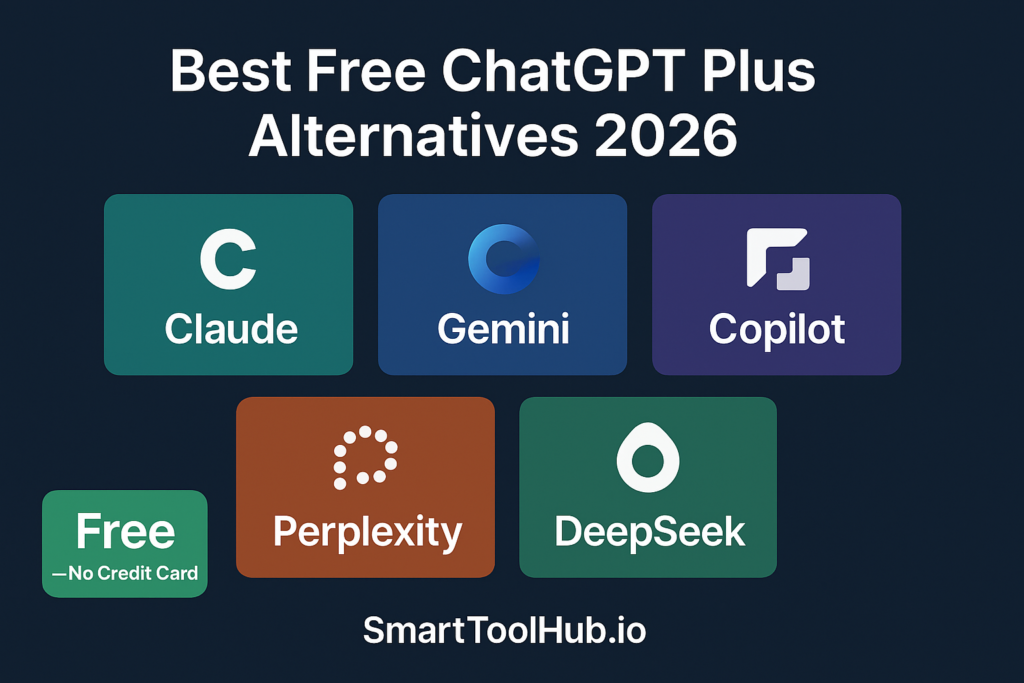
Best Free Alternatives to ChatGPT Plus in 2026

Best Free Alternatives to ChatGPT Plus in 2026 (Honestly Tested)

Disclosure: Some links in this article are affiliate links. If you purchase through them, we may earn a small commission at no extra cost to you.

Twenty dollars a month does not sound like much until you add Claude Pro at $20, Gemini Advanced at $20, and suddenly you are spending $60 every month on AI subscriptions before you have paid for anything else. I have been there. Most people using multiple AI tools have been there.

The good news is that in 2026 the free tiers of ChatGPT’s competitors have genuinely caught up. Not in every area — ChatGPT Plus still has features nothing free can fully replace. But for a large chunk of everyday AI work, the free alternatives do the job just as well. Sometimes better.

This guide covers the best free alternatives to ChatGPT Plus in 2026 — honestly tested, with real limits disclosed, and a clear recommendation for which type of person should use which tool. If you want to understand what you are actually giving up by not paying for ChatGPT Plus, read our honest ChatGPT Free vs Plus comparison first.

⭐ Best Free ChatGPT Alternative

Try Claude Free — Better Writing, Bigger Context Window

More natural writing than ChatGPT. 200K token context on free. No word limit on uploads. No credit card needed — genuinely free.

👉 Try Claude Free Today

Affiliate link — we may earn a commission at no extra cost to you.

Table of Contents

The Honest Truth About Free AI Tools

Before the list, something important that most comparison articles skip.

There is no completely free, unlimited AI tool. Every free tier in this list imposes either a message cap, a model quality restriction, or both. Unlimited free AI is a myth — and any article claiming otherwise is either outdated or misleading.

What has changed in 2026 is that the free tiers of ChatGPT’s competitors have become genuinely useful — not stripped-down demos but real tools that cover the majority of everyday AI needs for most people. If you are a casual user, a student, or someone who uses AI for specific tasks rather than all day every day, one of these free alternatives will likely serve you completely well.

If you use AI as a core work tool every single working day, you will eventually hit limits on any free plan and need to pay for something. That is just the reality of where the market is in 2026.

1. Claude Free — Best Overall Alternative

Free? Yes. Credit card? No. Best for: Writing, document analysis, nuanced reasoning.

If I had to pick one free alternative to ChatGPT Plus for most people, it would be Claude. Not because it does everything ChatGPT Plus does — it does not. But because the things Claude does well are the things most people use AI for most often.

Claude’s writing feels more natural and less robotic than ChatGPT’s by default. When you ask it to write something, the output reads more like a person wrote it and less like a well-organised machine. For content creation, email drafting, and anything where the quality of the writing matters — Claude consistently produces better first drafts that need less editing.

The other key advantage is context. Claude’s free tier gives you access to Claude Sonnet with no word limit on what you can upload. You can paste a 30-page document and ask it questions about the whole thing. ChatGPT’s free tier limits file uploads to 3 per day and struggles with very long documents. For anyone who regularly works with long documents — contracts, reports, research papers — Claude free is meaningfully better.

What you lose vs ChatGPT Plus:

  • No image generation — Claude cannot generate images at all
  • No video generation
  • No voice mode
  • Daily message limits that reset every 24 hours

Free limit: Daily message limits that reset every 24 hours. Not published officially but in practice generous enough for most users who are not on it all day.

👉 Start at: claude.ai — no credit card needed

2. Google Gemini Free — Best for Google Workspace Users

Free? Yes. Credit card? No. Best for: Gmail, Google Docs, Google Drive integration.

Gemini is Google’s AI assistant and its biggest advantage over every other tool on this list is integration. If you live in Google’s ecosystem — Gmail, Google Docs, Google Sheets, Google Drive — Gemini connects to all of it natively. You can ask it to summarise emails from your inbox, analyse a spreadsheet from your Drive, or draft a document that automatically updates in Google Docs. No copy-pasting between apps. No importing and exporting. It just works where you already work.

Tom’s Guide called Gemini’s free tier “the most logical replacement for ChatGPT Plus for most users” in early 2026. That is a bold claim but it holds up for anyone already embedded in Google’s tools.

The free plan includes access to Deep Research, Gemini Live, Canvas, and Gems — features that are either paid or unavailable on competing free tiers.

What you lose vs ChatGPT Plus:

  • No DALL-E image generation — Gemini generates images but differently and with limitations
  • Less versatile outside the Google ecosystem
  • Writing quality is good but not as naturally human-feeling as Claude

Free limit: Generous for most use cases. Rate limits exist but most casual and moderate users do not hit them in practice.

👉 Start at: gemini.google.com — free with any Google account

3. Microsoft Copilot Free — The Hidden Gem Most People Miss

Free? Yes. Credit card? No. Best for: Windows users, Microsoft 365 users.

This is the one most people overlook — and it is genuinely surprising how capable the free version is. Microsoft Copilot is powered by GPT-4o — the same model as ChatGPT Plus — and it is completely free with a Microsoft account. If you are a Windows user, you almost certainly already have one.

Let that sink in for a second. GPT-4o access. Free. The same underlying model that ChatGPT charges $20/month for.

The limitations are real — the context limits are less generous than ChatGPT Plus, and personalisation features are more limited. But for everyday writing, research, and question-answering, Microsoft Copilot on a free account is one of the best value propositions in the entire AI space right now.

For Microsoft 365 users — anyone using Word, Excel, PowerPoint, or Teams — the integration is particularly powerful. Copilot can draft documents in Word, analyse data in Excel, create presentations in PowerPoint, and summarise meetings in Teams. All within apps you are already paying for.

What you lose vs ChatGPT Plus:

  • Less generous context limits than ChatGPT Plus
  • Fewer personalisation and memory features
  • Outside Microsoft ecosystem it is just a decent AI chat tool rather than a workflow multiplier

Free limit: Approximately 15 turns per session in certain modes. Standard mode is more generous.

👉 Start at: copilot.microsoft.com — free with a Microsoft account

⭐ Nova Quinn Recommends

Add Grammarly Free — Works Alongside Any AI Tool

Whatever AI assistant you choose, pair it with Grammarly free for grammar and tone checking. Works everywhere you type. No credit card needed.

👉 Start Grammarly Free Today

Affiliate link — we may earn a commission at no extra cost to you.

4. Perplexity Free — Best for Research

Free? Yes. Credit card? No. Best for: Research, fact-checking, current events.

Perplexity does one thing differently from every other AI tool on this list — it was built from the ground up as a research tool, not a general chatbot with search added on top. The difference matters more than it sounds.

When you ask Perplexity a question, it searches the web, reads the sources, and gives you a direct answer with citations listed so you can verify everything yourself. No more spending twenty minutes clicking between search results to piece together an answer. Ask the question, get the answer, see exactly where it came from.

The free plan supports unlimited standard searches with cited sources. Five Pro searches per day with access to more powerful models. For research-heavy work — content creation, fact-checking, staying current on a fast-moving topic — Perplexity’s free plan is more useful than ChatGPT Plus for this specific use case.

What you lose vs ChatGPT Plus:

  • Not a general-purpose writing assistant — it is a research tool
  • Cannot generate images or video
  • Pro searches limited on free plan

Free limit: Unlimited standard searches. 5 Pro searches per day.

👉 Start at: perplexity.ai — no credit card needed

5. DeepSeek Free — Best for Technical Users

Free? Yes. Credit card? No. Best for: Coding, technical analysis, long context tasks.

DeepSeek shocked the AI world in early 2025 by matching GPT-4-class performance at a fraction of the cost. The free web version has no usage caps — which makes it genuinely unusual in a landscape where every other free tier eventually hits a wall and asks you to upgrade.

For technical users — developers, data analysts, anyone working with code — DeepSeek performs impressively. Its reasoning capabilities and long context handling are particularly strong and it handles complex multi-step problems better than most free alternatives.

The honest caveats: DeepSeek is a Chinese company which raises data privacy concerns for some users, particularly those handling sensitive business information. It is also less polished in its user interface than ChatGPT or Claude. For personal use and general technical tasks it is excellent. For sensitive business information, factor the privacy considerations into your decision.

What you lose vs ChatGPT Plus:

  • Data privacy concerns for some users and use cases
  • Less polished interface
  • No image or video generation
  • Less extensive ecosystem of integrations

Free limit: No published message caps on the free web version — the most generous free tier of any major AI tool in 2026.

👉 Start at: chat.deepseek.com — no credit card needed

Full Comparison Table

Tool Best For Free Limit Image Gen Web Search
Claude Free Writing, long documents Daily message limit ❌ No ✅ Yes
Gemini Free Google Workspace users Generous for most users ✅ Limited ✅ Yes
Copilot Free Microsoft 365 users 15 turns per session ✅ Yes (DALL-E) ✅ Yes
Perplexity Free Research with citations 5 Pro searches/day, unlimited standard ❌ No ✅ Built for it
DeepSeek Free Technical, coding tasks No published caps ❌ No ✅ Yes
ChatGPT Plus All-rounder, multimedia 160 per 3 hours ✅ DALL-E + Sora ✅ Strong

Which Alternative is Right for You?

You are a writer or content creator:

Use Claude free. The writing quality is better than any other free alternative and the context window handles long documents without breaking. Pair it with Grammarly free for grammar and tone checking and you have a complete free writing stack that rivals what paid tools offer. For a comparison of the best writing tools, read our Grammarly vs QuillBot review.

You live in Google Workspace:

Use Gemini free. The integration with Gmail, Google Docs, and Drive is something no other free tool can replicate. If you are already in Google’s ecosystem all day, Gemini is the obvious fit — it meets you where you already work.

You are a Windows or Microsoft 365 user:

Use Microsoft Copilot free. GPT-4o access at no cost with Microsoft account. For anyone already using Word, Excel, or Teams this is extraordinary value that most people do not realise is available to them for free.

You do a lot of research:

Use Perplexity free. Nothing else on this list searches the web and cites sources as cleanly. For research tasks specifically, Perplexity free outperforms ChatGPT Plus — not despite being free, but because it was built specifically for research from the ground up.

You are a developer or technical user:

Use DeepSeek free. No usage caps, strong reasoning, excellent coding capability. Just factor in the data privacy considerations if that is relevant to your work.

You need image or video generation:

ChatGPT Plus is still the answer. None of these free alternatives can fully replace DALL-E and Sora. If image and video generation are central to your work, the $20/month for ChatGPT Plus is genuinely justified. Everything else on this list is a strong alternative — but not for this specific use case.

Final Verdict

The honest summary: for most people in most situations in 2026, you do not need to pay for ChatGPT Plus. The free alternatives have caught up enough that the gap only matters in specific scenarios.

The scenario where ChatGPT Plus still wins clearly: you need image generation, video generation, and voice mode in one place, you use AI heavily every day, and you want the most versatile single tool available. That is real value for the right person.

The scenario where the free alternatives win: you primarily write, research, or work in an existing ecosystem like Google or Microsoft. For all of those use cases, the free tools on this list are genuinely excellent — and saving $20/month in the process is a bonus worth taking.

My recommendation: start with Claude free and Perplexity free as your base stack. Use them seriously for a month. If you find yourself regularly wanting features they cannot provide — image generation, higher message limits, voice mode — then consider upgrading to ChatGPT Plus. But do not pay for it until the free alternatives have genuinely frustrated you.

⭐ Start Your Free AI Stack Today

Try Claude Free — The Best Free Alternative to ChatGPT Plus

Better writing quality. Bigger context window. No image limits on uploads. Completely free to start — no credit card needed at all.

👉 Try Claude Free Today

Affiliate link — we may earn a commission at no extra cost to you.

FAQ

Is there a completely free unlimited alternative to ChatGPT Plus?

No — every free tier in 2026 has some form of limit, either on message count, model quality, or both. DeepSeek currently has the most generous free tier with no published message caps. But unlimited free AI from a major provider does not exist and articles claiming otherwise are misleading.

Is Claude better than ChatGPT for free users?

For writing and document analysis — yes, Claude’s free tier is generally better. It produces more natural writing, handles longer documents better, and has no word limit on uploads. For image generation and multimedia tasks — no, Claude cannot generate images at all. For a full head-to-head read our ChatGPT vs Claude comparison.

Is Microsoft Copilot really free?

Yes — the basic version is free with a Microsoft account, which most Windows users already have. It is powered by GPT-4o, the same model that ChatGPT Plus charges $20/month for. The limits are more restrictive than ChatGPT Plus but the core capability is there at zero cost.

Can I use multiple free AI tools together?

Absolutely — and this is the smart approach. Use Claude for writing and long documents. Use Perplexity for research and fact-checking. Use Gemini for anything Google-related. Rotate between them when you hit daily limits on one. Together they cover most of what ChatGPT Plus offers at zero combined cost.

When should I actually pay for ChatGPT Plus?

When the free alternatives genuinely frustrate you in your daily workflow — not before. Specifically: when you regularly need image generation, when you hit message limits daily across multiple free tools, or when you need a single all-in-one tool and are willing to pay for the convenience. Do not pay until the free tools have proven insufficient for your actual needs.

Leave a Comment

Your email address will not be published. Required fields are marked *