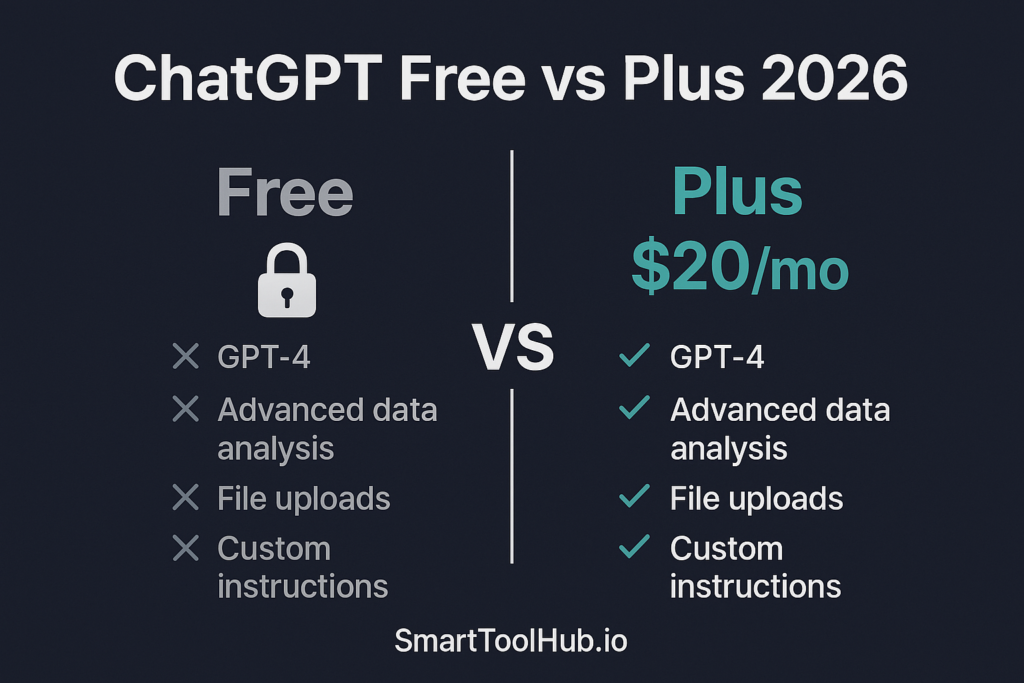
Updated 5 October 2026. This is a researched guide, not a hands-on performance test. Examples below are illustrative. Features and prices can change.
Stay with free access if it completes your usual tasks reliably enough. Consider Plus when a specific limit or missing feature repeatedly stops your work. The right decision is based on your usage, not the assumption that every daily user must pay.
OpenAI’s official plan documentation describes plan-dependent access and usage. Features, models, rollout and limits can change. Check the plan comparison and checkout in your account before subscribing. This page does not claim a controlled performance comparison.
Write down the problem first
Over a week, note when free access prevents you from completing a task. Was it a usage limit, file requirement, a particular tool or an inaccurate answer? A higher allowance may help with the first problem. It does not guarantee correctness.
| Your situation | Useful next step |
|---|---|
| Occasional simple drafts | Keep free access and improve the instructions |
| Regular limits interrupt work | Check the paid allowance for the exact feature |
| Need a particular tool | Confirm availability for your plan, app and region |
| Handle confidential work | Check employer approval and data terms separately |
Do a short value calculation
Count the total time needed for a checked result, including corrections. Illustrative example: if an upgrade saves 15 minutes on four tasks, that is one hour of potential monthly time saving. Compare that with the actual subscription cost and whether the time is useful to you.
Do not count time saved on tasks you would not otherwise do. More generated text is not the same as more completed work.
Questions for the checkout
- What is the full amount in your currency, including tax?
- Which features and limits apply?
- Is the billing monthly or annual?
- When does it renew?
- How do you cancel?
A consumer subscription, business plan and API billing are different arrangements. Do not assume paying for one includes all the others.
What an upgrade does not solve
You must still check facts, sources and calculations. The tool may misunderstand an unclear instruction. Paying also does not give permission to upload workplace information. Read your organisation’s policy and the exact account terms.
Try a clearer instruction before upgrading
Use only these notes. Prepare a short answer for a beginner. Do not add facts. Mark missing information and list what needs checking.
If the problem was a vague brief, this may help without spending. If the required task still hits a genuine limit, compare paid access and alternatives.
Recommendation
Upgrade for an identified need you can evaluate. Review the decision after a month rather than treating it as permanent. Our free alternatives guide gives a task-based comparison method. There is no ChatGPT affiliate link on this page.

Nova Quinn is SmartToolHub’s lead writer and editor, covering AI writing, SEO, automation and productivity software for freelancers, creators and small businesses. Her work focuses on translating product features, pricing and limitations into practical buying guidance. SmartToolHub distinguishes direct product observations from vendor information and independent research, and corrects material errors when identified.
Read our Editorial Policy & Review Methodology: https://smarttoolhub.io/editorial-policy-review-methodology/
Follow SmartToolHub on X: twitter.com/SmartToolHubIO