Best Free AI Tools in 2026

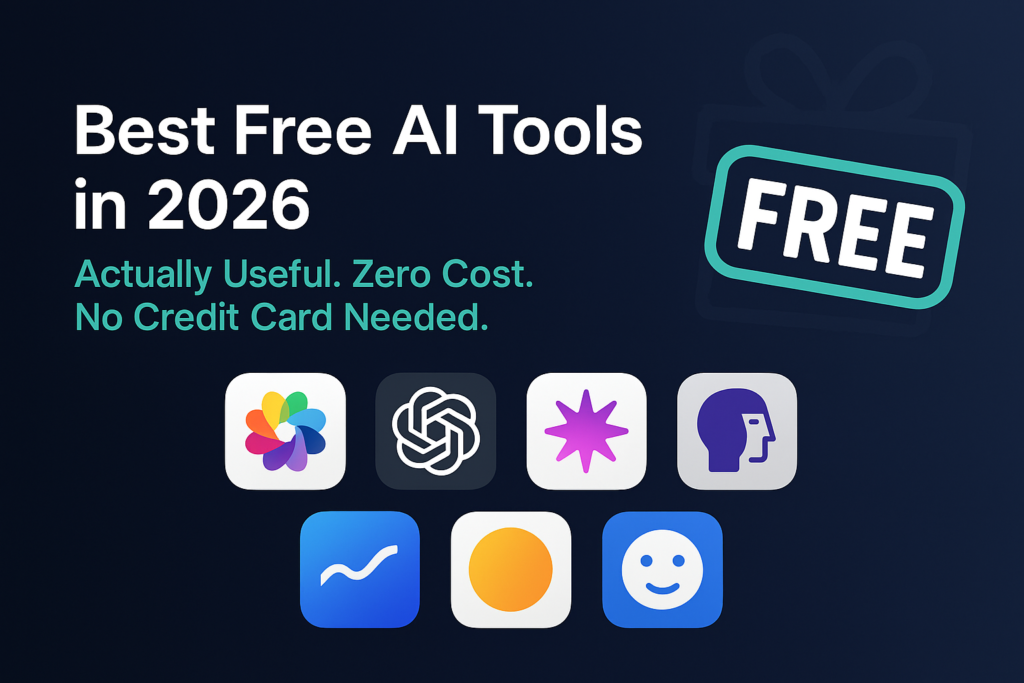
Best Free AI Tools in 2026

Disclosure: Some links in this article are affiliate links. If you purchase through them, we may earn a small commission at no extra cost to you.

Let me be upfront about something. Most best free AI tools articles are written by people who signed up for a tool for twenty minutes, grabbed some screenshots, and called it a review. This is not that.

I have been testing free AI tools for months β€” not to write this article, but because I genuinely cannot justify paying for everything. What I found surprised me. Some free tools are so good that the paid versions feel unnecessary. Others are so crippled by limits that free is really just a long advertisement for the paid plan.

This list only includes tools where the free version does something genuinely useful. Not trials. Not tools that cut you off after three sentences. Real free tools you can use today, tomorrow, and next month without handing over your credit card. If you are completely new to AI and want to understand what these tools actually are before diving in, start with our plain English guide to what AI is first.

⭐ Best Free AI Tool to Start With

Try Grammarly Free β€” No Word Limits, No Credit Card

The single best free AI tool for everyday writing. Works in Gmail, Google Docs, LinkedIn and 500,000+ other apps. Completely free forever.

πŸ‘‰ Start Grammarly Free Today

Affiliate link β€” we may earn a commission at no extra cost to you.

Table of Contents

Free AI Writing Tools

1. ChatGPT Free β€” Still the Best All-Rounder

Free? Yes. Credit card? No.

ChatGPT’s free plan in 2026 includes access to GPT-4o β€” their most capable model β€” with a daily message limit. Once you hit that limit, it drops back to GPT-4o mini, which is still impressively capable for most everyday tasks.

What that means in plain language: you get roughly 10 to 15 high-quality AI responses per day before the slower model kicks in. For most people β€” especially if you are just getting started β€” that is more than enough to do real, useful work every day.

I use the free version for drafting emails, brainstorming article ideas, writing social media captions, and summarising long documents. It handles all of that without me needing to spend a cent. In real use, the biggest time savings are in the boring stuff β€” client update emails, project summaries, and research questions.

What you can do for free:

  • Write blog posts, emails, and reports
  • Brainstorm ideas and create outlines
  • Summarise long documents you paste in
  • Answer research questions quickly
  • Basic web browsing for current info
  • Limited image generation

The honest limit: The daily cap on GPT-4o is real. Heavy users who write thousands of words every day through AI will feel it. But for normal people doing normal tasks? It is plenty. For a detailed comparison of ChatGPT against its closest competitor, read our ChatGPT vs Claude comparison.

πŸ‘‰ Start at: chat.openai.com β€” no credit card needed

2. Claude Free β€” Better for Longer Documents

Free? Yes. Credit card? No.

Claude is made by Anthropic and is genuinely different from ChatGPT β€” not better or worse overall, but better at specific things. The free plan gives you access to Claude Sonnet, which handles long documents, careful analysis, and nuanced writing better than most tools at any price point.

Here is the thing that separates Claude from the others for free users: there is no word count limit on what you paste in. You can drop a 30-page PDF into Claude free and ask it questions about the whole thing. Try that with most free tools and they will either refuse or cut off after two pages.

The writing Claude produces also tends to feel more natural and less robotic than other tools. If you have ever read AI content and thought this sounds like a robot wrote it β€” Claude is usually the tool that fixes that problem effectively.

πŸ‘‰ Start at: claude.ai β€” no credit card needed

3. Grammarly Free β€” The Writing Safety Net

Free? Yes. Credit card? No.

Grammarly’s free plan is genuinely one of the best free AI tools available β€” full stop. There is no word limit. No daily cap. It just works everywhere you write, all the time, for free.

It installs as a browser extension and quietly checks your grammar, spelling, and punctuation in Gmail, Google Docs, LinkedIn, Twitter, and basically anywhere else you type. You do not have to remember to use it. It is just always there. For a full comparison of Grammarly against its main competitor, read our Grammarly vs QuillBot review.

πŸ‘‰ Start at: grammarly.com β€” no credit card needed

Free AI Research Tools

4. Perplexity β€” Google But Actually Answers Your Question

Free? Yes. Credit card? No.

This is the one most people have not tried yet β€” and it might become your most-used free tool once you do.

Perplexity is a search engine powered by AI. You type a question and instead of giving you ten blue links to click through, it reads those sources and gives you a direct, clear answer β€” with the sources listed so you can verify everything yourself.

Think about how many times a day you Google something and spend five minutes clicking between articles trying to piece together an answer. Perplexity cuts that down to thirty seconds. Ask the question, get the answer, see the sources. Done. The free plan supports unlimited searches β€” one of the most genuinely generous free tiers in the AI space right now.

πŸ‘‰ Start at: perplexity.ai β€” no credit card needed

5. Google NotebookLM β€” Upload Your Documents, Ask Anything

Free? Yes. Credit card? No.

NotebookLM is one of those tools that sounds boring until you actually use it β€” and then you cannot stop telling people about it.

Here is what it does. You upload your own documents β€” PDFs, articles, meeting notes, research papers, whatever β€” and it creates an AI that knows only those documents. Then you can ask it questions about your own content and it answers based only on what you gave it. No hallucinations. No making things up. Just your documents, searchable through conversation.

The free plan includes 100 notebooks and 50 sources per notebook, with each source holding up to 500,000 words. That is enough to upload an entire research project and have a full conversation with it.

πŸ‘‰ Start at: notebooklm.google.com β€” free with a Google account

⭐ Nova Quinn Recommends

Try Notion Free β€” Organise Everything in One Place

Unlimited pages, notes, and databases. Free forever. Used by over 100 million people worldwide as their second brain.

πŸ‘‰ Start Notion Free Today

Affiliate link β€” we may earn a commission at no extra cost to you.

Free AI Design Tools

6. Canva Free β€” Design Without Being a Designer

Free? Yes. Credit card? No.

Canva has been around for years but its AI features in 2026 make the free version significantly more powerful than it used to be. Magic Design takes a text description and generates a complete, professional-looking design in seconds. Magic Write helps you generate copy to go with the design. Background remover works on photos with one click.

The free plan is genuinely generous β€” thousands of templates, the core AI design features, and enough storage for most casual users. We did a full review of the AI features β€” read our Canva AI Magic Studio review for the complete honest breakdown of what is worth using and what is not.

πŸ‘‰ Start at: canva.com β€” no credit card needed

7. Microsoft Designer β€” Free AI Image Generation

Free? Yes. Credit card? No.

If you need AI-generated images and do not want to pay for Midjourney β€” Microsoft Designer is the best free alternative. It is powered by DALL-E and you can generate images just by typing a description. You do not even need an account to start generating images immediately.

The quality is impressive for a free tool. It produces clean, usable images for blog posts, social media, and presentations. Daily limits reset each day and most users do not come close to hitting them.

πŸ‘‰ Start at: designer.microsoft.com β€” no credit card needed

Free AI Productivity Tools

8. Notion Free β€” Your Second Brain

Free? Yes. Credit card? No.

Notion’s free plan gives you unlimited pages, notes, and databases. The AI features require a paid add-on β€” but the core product is free forever and genuinely powerful without it.

Millions of people use Notion free as their main workspace β€” keeping notes, tracking projects, building wikis, and managing their lives in one organised place. If your notes are currently scattered across three apps, several notebooks, and the back of receipts β€” Notion is the fix. For teams comparing Notion against a more task-focused alternative, read our Notion AI vs ClickUp comparison.

πŸ‘‰ Start at: notion.so β€” no credit card needed

9. Zapier Free β€” Automate the Boring Stuff

Free? Yes. Credit card? No.

Zapier connects different apps together and automates the repetitive tasks between them. The free plan gives you 100 automated tasks per month and 5 active automations β€” which goes further than you expect for simple workflows.

A simple example: every time someone fills out your contact form, Zapier automatically adds their details to a spreadsheet and sends them a welcome email β€” without you doing anything. Set it up once and forget about it forever.

πŸ‘‰ Start at: zapier.com β€” no credit card needed

Free AI Voice and Meeting Tools

10. Otter.ai Free β€” Never Take Meeting Notes Again

Free? Yes. Credit card? No.

Otter.ai records your meetings, transcribes everything that is said, and gives you a summary within minutes. The free plan includes 300 minutes of transcription per month β€” enough for roughly ten thirty-minute meetings, which covers most people completely.

The summary feature is what makes Otter genuinely useful. Instead of reading through a wall of transcript text, you get bullet points of the key decisions and action items. Paste those into a follow-up email to the client and you look incredibly organised with about thirty seconds of effort.

πŸ‘‰ Start at: otter.ai β€” no credit card needed

11. ElevenLabs Free β€” Professional AI Voiceovers

Free? Yes. Credit card? No.

ElevenLabs makes AI voices that sound genuinely human β€” not the robotic text-to-speech you might remember from five years ago. The free plan gives you 10,000 characters of voice generation per month, which is enough for YouTube video intros, short-form content, podcast teasers, and similar short audio pieces.

If you create video or audio content and have been paying for voiceover artists for short scripts β€” this free plan probably replaces that cost entirely.

πŸ‘‰ Start at: elevenlabs.io β€” no credit card needed

The Best Free AI Stack in 2026

You do not need all eleven tools. Here is what Nova Quinn actually recommends based on what you do:

If you are a… Start with these free tools
Blogger or writer ChatGPT + Claude + Grammarly + Perplexity
Freelancer ChatGPT + Grammarly + Canva + Otter.ai
Student Claude + Perplexity + NotebookLM + Grammarly
Small business owner ChatGPT + Canva + Zapier + Otter.ai
Content creator ChatGPT + Canva + Designer + ElevenLabs
Complete beginner ChatGPT + Grammarly β€” just these two to start

The most important rule: start with one or two tools and actually use them for real tasks before adding more. The people who try to use eight AI tools at once end up using none of them properly. Master one, then add another.

The Honest Warning About Free AI Tools

Before you run off and sign up for everything on this list, a few things nobody else will tell you:

Free tiers change without warning

AI companies adjust their free plans regularly. Something that is free today might have new limits next month. Always check the tool’s website for the current terms before building your whole workflow around a free feature.

Free tools use your data

Most free AI tools train their models on the conversations you have with them. That is generally fine for personal use and general writing tasks. But do not paste sensitive client information, confidential business data, or personal financial details into free AI tools without reading their privacy policy first.

Free does not always mean best

For some tasks, the paid version is worth it. If Grammarly free is catching mistakes and saving you embarrassment daily, the $12/month annual plan for full style and tone suggestions might genuinely earn back more time than it costs. Start free, prove the value, then decide whether to upgrade.

⭐ Start Your Free AI Journey Today

Try ElevenLabs Free β€” 10,000 Characters of AI Voice Monthly

Professional AI voiceovers that sound genuinely human. Perfect for YouTube intros, social content, and short-form audio. Free every month β€” no credit card needed.

πŸ‘‰ Try ElevenLabs Free Today

Affiliate link β€” we may earn a commission at no extra cost to you.

FAQ

Are these tools really free with no hidden costs?

Every tool on this list has a genuinely free tier that does not require a credit card. Some have usage limits. None of them charge you automatically. What they do have is paid plans with more features β€” but using the free version for as long as you like is always an option.

Which free AI tool should I try first?

ChatGPT free if you want a general-purpose assistant for writing and questions. Grammarly free if you want something that quietly improves everything you write without you having to think about it. Those two together cover most everyday needs at zero cost.

Can I really replace paid tools with free AI tools?

For many tasks, yes. ChatGPT free replaces most of what Jasper or Copy.ai charge $40 to $50 per month for. Canva free covers 90% of what most non-designers need from Adobe. ElevenLabs free covers short voiceovers that used to cost money to outsource. The savings are genuinely real.

Is it safe to use free AI tools for work?

For general tasks like writing, research, and brainstorming β€” yes, with common sense. Do not paste confidential client data or sensitive business information into any free AI tool unless you have read and are comfortable with their privacy policy. Most major tools from established companies like Google, OpenAI, and Anthropic are safe for general professional use.

What happens when I hit the free limit?

Different tools handle this differently. ChatGPT drops to a less powerful model. Claude asks you to wait until the next day. Otter.ai stops transcribing once you use your monthly minutes. None of them charge you automatically. The best strategy is to use two or three tools and rotate between them when you hit limits on one.

Leave a Comment

Your email address will not be published. Required fields are marked *